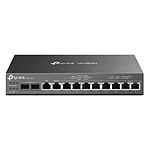
Customer reviews of the TP-LINK ER605 V2
-
60%6 reviews
-
30%3 reviews
-
0%
-
0%
-
10%1 review
DHCP not working
-
Number of reviews: 2 Average rating: 9
Does the job as expected, but lacks a few details for implementation
Local wired Gb installation for years. Dlink VPN router changed in 2019 by CISCO RV042G 2WANs (ADSL+fibre 6 months as a precaution). Abandoned by Cisco (security flaws). For several months connection problems to the web interface, then crashes 2 times / month (automatic reboot on clock, every 12h). Search for an equivalent wired router. Chose the TP-LINK ER605 V2, affordable price, USB for backup 3G/4G modem, online doc with emulator (tested before ordering). Order placed, received correctly, fast delivery, LDLC++ service as usual.
Specific (undocumented) implementation points: 1) at 1st login, id other than "admin" (++), but "data collection" option (??): did not tick (https://www.cnet.com/home/internet/does-your-wi-fi-router-track-your-browsing-i-read-30000-words-of-privacy-policies-to-find-out/) 2) DHCP address reservation: can be loaded from a CSV file (import), export only generates a prototype line. I looked a bit. Without checking "export to ip-mac binding" initially (blocked), ok.
3) One of the PCs manages a network bridge. The address recognised is that of the bridge, unlike the CISCO (takes one of the cards). 4) Firmware upgrade: delivered in "2.1.2", on "https://support.omadanetworks.com/fr/product/er605/?resourceType=download" we have versions 2.2.5 and 2.2.6. Errors or blockages. Search: https://community.tp-link.com/en/business/forum/topic/675198 => install 2-2-3. Versions here: https://support.omadanetworks.com/en/download/firmware/er605/v2/. Solved 5) have a detailed log of incoming and outgoing packets: this router does not manage this type of log, but ( well) use a mirrored port: https://community.tp-link.com/en/business/forum/topic/275364. Network > Switch > Mirror then Wireshark. Summary: apart from these points, no problems. All that's left is to set up port forwarding and VPN usage.
For the moment, the product meets my expectations.Review automatically translated -
Number of reviews: 11 Average rating: 8
Everything you need!
It's been a while since my wifi network was working for me, slow, freezes under Plex, loss of connections ...
So I invested in an Omada-compatible TP-Link system:
- OC 200 Controller: finally the possibility of controlling my network!
- ER605 V 2: VPN router
- TL-SG1005P: to power the APs via POE
- EAP650: The coverage and speed are insane! I can finally watch 4k films via Plex from my Nas SYNOLOGY on my TV!
Nothing to say other than: Go for it with your eyes closed!Review automatically translated -
Number of reviews: 4 Average rating: 10
Good product, easy to use
Although the documentation is a bit hard to find, it's pretty well done and gets you up and running very quickly.
Installed behind a Starlink router, it does the job unobtrusively.Review automatically translated -
Number of reviews: 1 Average rating: 8
The order went well
The order went well. We installed the equipment as we had planned and had no problems.
Review automatically translated -
Number of reviews: 15 Average rating: 9
Very good product
Bought to build a subnet, this router is very good and has a lot of functions.
FireWall, V-Lan, VPN, a whole panel and OMADA, which I won't say anything about because it hasn't been tested yet.
Rather simple to use and very professional looking, I really don't regret my purchase.Review automatically translated -
Number of reviews: 1 Average rating: 10
Good router for the price
Good value for money.
For the record, this is version 2 with the USB port for a 4G modem. I haven't tested it, but the TP-Link website has a list of compatible modems.
Quite easy to get to grips with, as long as you update it with the latest firmware - the one installed had a few bugs, particularly with NAT. After updating, there were no problems.
Another point is that failover only seems to work if the 'box' being used is in 'modem' mode, otherwise the router doesn't detect correctly that the connection has dropped.
Personally, I find the management of routing by 'IP groups' containing separately defined address ranges a little counter-intuitive, but it's still understandable.
Lastly, in terms of security, I liked the fact that it was possible to configure a specific user name rather than using "admin" as is the case with many other consumer routers.
All in all, a very positive experience for the price.Review automatically translated -
Number of reviews: 4 Average rating: 6
DHCP not working
It started well, then the devices did not receive the ip assigned to them according to their MAC.... it really took my head.... ! I'm temporarily using one of my M9plus as a router while waiting for the TL-ER5120 V4...
Review automatically translated -
Number of reviews: 2 Average rating: 8
August 2022: I have received the V2.0 version
this router works perfectly between freebox pop and starlink in traffic distribution and fault tolerance
Review automatically translated -
Number of reviews: 2 Average rating: 9
Great and even better! :)
I bought it to network a printer on two different networks, and it works perfectly.
The possibilities offered by the firmware are just crazy for a consumer product and for a contained price.
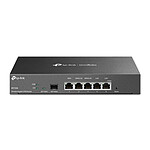
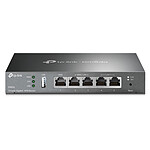
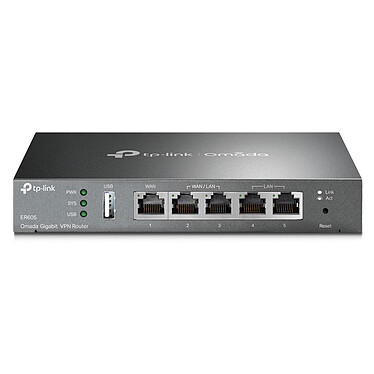
The aluminium (steel?) case gives a feeling of solidity and durability.
Good for you!Review automatically translated -
Number of reviews: 9 Average rating: 9
Very good product that does its job
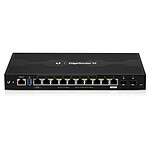
A very clean, solid product, with a lot of possibilities and functions (after all, it is possible to find better) with above all a utilitarian design and not looking like a sacrificial altar (like some routers), especially like me, we never use wifi.
Review automatically translated