Understand better
1 - So... what exactly is a processor?
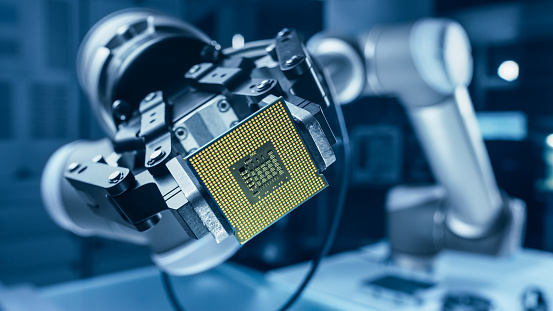
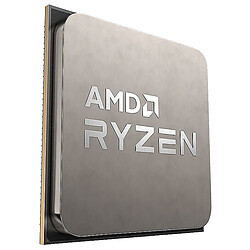
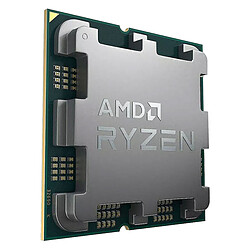
Fair point... it may be important, but it's tiny and sitting right there in the middle of your motherboard. So what is it actually for?! The true heart of your machine, it's the key component that executes “machine instructions”. In other words, it runs your computer's programs by reading the instructions stored in its memory at a given pace: the clock “frequency”. But that's not all...!
What's inside a processor...
- Cores: each core is like a mini-processor, able to read and process data independently.
- Threads: often described as “virtual cores”, mainly used to optimize the cores you already have.
- Frequency: the processing speed, expressed in GHz. There's also a “Turbo” mode to push it further.
- Cache memory: where data being read or written is temporarily stored to speed things up.
- Communication controller: enables fast exchanges between the CPU, RAM, and other components.
- Integrated graphics: also called an “iGPU”, it handles display and basic tasks (web, office work...) without a dedicated graphics card. On Intel, CPUs with the letter F do not include it, so a graphics card is required to get an image on screen. On AMD, whether integrated graphics are included depends on the model, so it's best to check the product page.
Never without my (mother)board!
Each processor generation has its compatible motherboards. Imagine: you've just changed your graphics card, so you'll probably need to change your motherboard and CPU as well. The motherboard is the “base” where all the essential parts of your computer connect. To check compatibility, you need to look at the “socket” (the connector where the CPU sits), then the “chipset”, which is a component on the motherboard.
Quick tip: if you switch to a recent processor, you may need to perform a BIOS update on the motherboard so it recognizes it properly.
Intel or AMD: the big CPU showdown
On desktop PCs, most processors come from Intel or AMD. Your choice will also determine the compatible motherboard, since each brand uses specific sockets.
Not sure about compatibility? No problem: our configurator helps you check everything in a few clicks.
2 - Okay... but how do you choose?!

All of that is nice... but how do you make sense of it? Contrary to what you might think, frequency isn't the only key number anymore: because of manufacturing limits (in nm — the smaller the process, the more can fit inside a CPU), manufacturers found other tricks to speed up processing! So... what should you check?!
- The number of cores and threads: the more you have, the more comfortable your PC will be for multitasking (streaming, editing, work...).
- Cache memory: the larger it is, the more data it can hold — and the faster things feel. In short: it's quicker!
- Communication with memory and other components: the faster the CPU talks to RAM and the rest of the PC, the snappier everything feels, especially in demanding tasks.
- TDP (in Watts): an indicator of how much heat the CPU can output. It helps you choose the right cooling, especially for heavy use.
- Compatibility: of course! A monster CPU is pointless if it doesn't match your motherboard.
You've got it: choosing a processor takes some thinking. And newness often means efficiency... New CPUs are generally more powerful and better suited to today's software. Things move fast!
3 - Raise those cores!

The race for “cores” remains a key focus for manufacturers. You may have heard of “Quad Core”, “Hexa Core”, “Octa Core” or even higher... but beware: Intel cores aren't the same as AMD cores, so comparing them directly without deeper research isn't very useful.
Hyper-Threading & SMT
Intel calls it Hyper-Threading, AMD calls it SMT.
The idea is simple: one core can sometimes handle two tasks at once, thanks to additional “threads”. For example, 6 cores can behave like 12 threads. This can improve performance in some software, especially creation and multitasking... but it isn't always as effective in every game. In practice, it's most useful when your computer is doing many things at the same time: video editing, photo retouching, streaming, or running multiple applications. Threads help the CPU distribute workload better and stay smoother under heavy tasks. For more basic use or some games, the gain may be smaller — but it's still a real advantage for versatility.
4 - What about overclocking?

Overclocking means pushing a processor beyond its stock settings to gain extra performance. But today, most modern CPUs already adjust their frequency automatically using smart Turbo modes, depending on the load. Overclocking is therefore mostly for experienced users, as it can lead to instability. On Intel, models designed for it usually include the letter K. If you don't need it, a standard CPU is often enough — and more affordable.
At LDLC, enjoy a wide selection of CPUs for all kinds of uses. While AMD generally offers the best performance/price ratio on the market, Intel most often stands out with slightly higher computing speeds, making it a reference choice for video games. Two key points to consider when buying a new PC or upgrading your machine. To choose correctly, read the LDLC CPU buying guide! You'll find plenty of useful info, plus a ranking of Intel and AMD processors by use case.
Which processor should you choose for office tasks and multimedia?
If you mainly use your computer to work, browse the web, check emails or watch movies, an entry-level processor will do the job. For pure office use, a Dual Core processor can be enough. However, for better longevity — and in case you upgrade the machine later — it's recommended to go for a Quad Core processor, which is also a minimum for running light games.
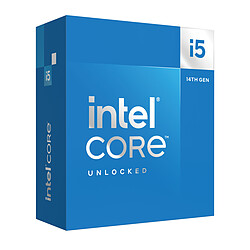
- Intel Core i3 is an ideal choice for an office/light-gaming configuration. For under €200, it offers an excellent value for money plus very low power consumption. A must-have for entry-level setups!
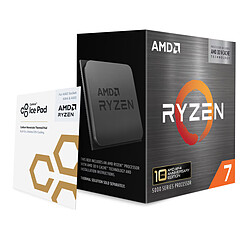
- AMD Ryzen 3 is the best AMD alternative in Quad Core. It's a fast, smooth, budget-friendly CPU sitting right before mid-range, with excellent energy efficiency.
Which processor should you choose for gaming and streaming?
In the era of 4K gaming and high-resolution monitors, a gaming PC should rely on a strong CPU/GPU combo to ensure smooth, optimal visuals. For gaming, prefer a CPU with 6 or 8 cores — or even 12 cores. This type of high-end processor delivers processing speed suited to demanding PC games. For streaming, multitasking-friendly processors are best if you can't stream using a dual-PC setup.
- Mid-range Intel processors are an excellent choice for gaming and pair ideally with graphics cards from the same segment. Thanks to multithreading technologies, they deliver strong performance at a competitive price.
- On the AMD side, mid-range processors also stand out with remarkable value for money. Known for gaming performance while remaining efficient in productivity tasks, they're especially versatile at this price point. Pair them with a compatible motherboard and you can also benefit from a little extra boost via overclocking.
- Intel processors featuring advanced multi-core architectures provide more than enough performance for today's games. They're perfect for versatile use, including streaming — or anticipating future gaming requirements.
- Finally, multi-core AMD processors often outperform the competition thanks to excellent performance/price value. Their extra cores are a major advantage for multitasking, allowing you to play and stream at the same time.
Which processor should you choose for a creator PC?
Most creative workflows require a powerful PC capable of running the main software on the market. A creator PC (or workstation) is precisely a PC that stands out with a powerful CPU (and more RAM). Your processor choice should therefore be guided by the software you use for photo, video, 3D modeling, rendering, or CAD. Let's review a few flagship apps in these categories to recommend the most suitable processors.
- Best processor for Photoshop and Lightroom: Hardware needs for these two apps (largely CPU-based) are similar. If the Core i9-14900K is among the fastest, you can still edit efficiently and save money by choosing the Ryzen 7 7700X: powerful and more affordable.
- Best processor for After Effects: To handle the demands of this CPU-heavy software, the Core i9-14900K remains an excellent choice. However, the Core i7-14700K offers very close performance at a more attractive price. Ryzen 7000 CPUs are good, but After Effects still gives a slight edge to Intel chips in this area.
- Best processor for 3ds Max: 3D work is particularly CPU-intensive. In general, Intel still leads slightly in modeling, while AMD shines in rendering. For CPU-based rendering engines, the Intel Core i9-14900K currently offers an excellent value for money.
- Best processor for AutoCAD: AutoCAD requires few resources; a mid-range CPU is more than enough. A Core i5-14600K (boosting above 5 GHz) is a very solid pick. You'll see little difference versus a Core i3-14100 or a Ryzen 5 7600 for standard projects.
Understanding Intel and AMD CPU suffixes
The letters that follow the numbers give extra information about the processor series. No letter means it's the standard version of the CPU.
For Intel, the main series are as follows
T = low power, with lower frequencies than the standard model
F = standard power consumption and no integrated graphics (classic and gaming ranges)
K and KF = higher power consumption and overclocking (gaming range)
X = very high power consumption (gaming and professional range)
Note: all Intel processors include integrated graphics, except those marked F or KF
For AMD, the main series are as follows
G and GE = integrated graphics
X and XT = no integrated graphics, high performance, with higher Turbo speeds on XT models
Note: all AMD processors are overclockable