super
The computer was assembled by their service and runs wonderfully. The store staff listened to my request and provided excellent advice.
Review automatically translated
 149€95
The computer was assembled by their service and runs wonderfully. The store staff listened to my request and provided excellent advice.
does the job for somewhat demanding games like Fortnite and Minecraft, excellent value for money. I recommend it for an entry-level setup or better, 1500e 16OO e
Overall satisfied with this configuration. A few settings need to be taken into account by the graphics card for sound recognition on the iiyama 27" LED - G-MASTER G2766HSU-B1 Red Eagle monitor when installing Windows 11, but other than that, no complaints, satisfied so far.
I followed the seller's advice and it corresponds perfectly to the way I use my PC.
Cheap and works very well for its price very good processor to make a pc under a budget I recommend
LDLC, what a great brand! Very good product to get through Windows 10 and Windows 11. And what speed! Well done
I visited the Dunkerque shop 4 or 5 times before ordering my configuration, and appreciated the advice and patience of the sales staff. A top-notch, made-to-measure service at an unbeatable price!
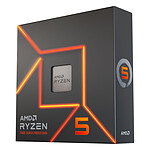
For its price, what more can we say? This processor is the best budget processor, for barely 100e you get a watch of power on the new amd architecture.
I went straight to the shop to buy my PC configuration, and frankly, there was nothing to say: a top-notch welcome, super-professional advice, and a team that really listened. They took the time to help me choose the right components for my budget and my needs. Everything was available, well explained, and I left with a configuration that runs perfectly. It's reassuring to deal with enthusiasts who really know their stuff.
Thank you LDLC, I'll be back without hesitation.
It's a good enough processor for a mid-range gaming setup, and that's why I bought it, but be warned that there's a limitation that's not necessarily very visible on the datasheet: this proc has very few PCIe lines, so if you add a modern NVMe SSD that also consumes PCIe lines, your GPU will be limited to 8 PCIe lines of communication with the CPU instead of the 16 you'd expect, which reduces the efficiency of CPU-GPU communications. So far this hasn't caused any noticeable performance problems, but if I had to do it all over again I'd upgrade a bit to a model with a few more PCIe lines to avoid this pitfall.