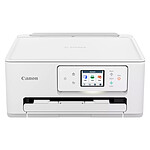
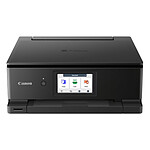
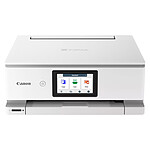
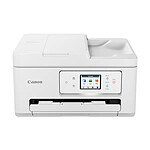
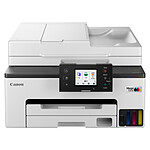
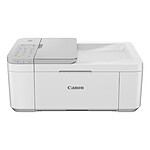
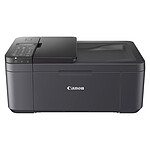
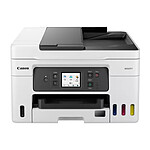
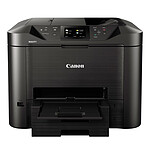
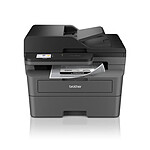
The compact, high-performance printer that's perfect for helping you at home
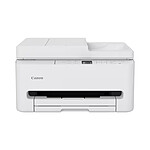
The PIXMA TS6550i delivers excellent document printing and stunning photos, and its compact, elegant design means it fits easily into any space. Thanks to its 1.42" OLED screen, it's easy to operate, making it the ideal everyday printing partner. It's also compatible with the PIXMA Print Plan service, making it practical and easy to manage consumables.
An idea, a need... print
Get impeccable results faster with a smaller footprint: thePIXMA TS6550i printer produces quality documents and vibrant images quickly with a simple, streamlined design. Its print head has been improved for greater speed.Everyday printing tasks can be completed in no time without compromising quality, thanks to print speeds of 14 ipm and 9 ipm. It works with FINE cartridges, which intelligently improve document print quality.
Designed to make your life easier, it is compatible with the PIXMA Print Plan, a monthly ink subscription based on printed pages.
Intelligent and connected
Enjoy hassle-free operation no matter how you print, thanks to a combination ofstable dual-band Wi-Fi (2.4GHz/5GHz),simple QR code setup and a bright 1.42-inch OLED display. With the Canon PIXMA TS6550i, print, scan, copy and connect to the Cloud (Scan to Cloud is only available for original Canon ink users) from your smartphone using the Canon PRINT app or print app-free with AirPrint (iOS) and Mopria (Android).
Key features:
USB multifunction printer
Functions: Wi-Fi, print, copy, scan, cloud
1.42-inch OLED screen
Print resolution: 1200 x 1200 dpi
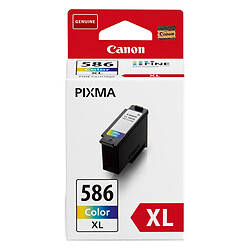
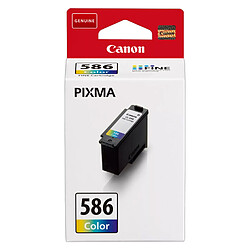
Printing technology: 2 FINE cartridges (black and colour)
Black and white print speed: Approx. 14 ipm
Colour print speed : Approx. 9 ipm
Photo print speed: 10 x 15 cm borderless: approx. 39 seconds
Borderless printing: A4, B5, LTR, 10 x 15 cm, 13 x 18 cm, 18 x 25 cm, 20 x 25 cm, Square (127 mm x 127 mm)
Duplex printing: Automatic duplex printing (A4, Letter - plain paper)
Very good value for money, takes up little space, the Wi-Fi works very well and is very easy to use. I recommend it.
Model: Canon PIXMA TS7550i
Review automatically translated
by Ivan Durêve
Posted on 5 Oct 2026
Bought on 7 Sept 2026 from LDLC
Number of reviews: 40Average rating: 9
Good and affordable, but...
Its plastic doesn't inspire confidence in its sturdiness, but this printer does the job perfectly, both for printing and scanning. Its compact size makes it easy to fit into a corner of the office. For the price, it's a really good printer, though only time will tell...
Unfortunately, I ran into a problem installing this Pixma on my Mac (Wi-Fi mode). No problem on a PC with Windows: you enter the address provided on the loose sheet serving as a manual, and the app and driver install easily; you're up and running in just a few minutes. On a Mac, however, the same procedure prompts you for a password, and no matter which one you enter, the installation fails (yours, your router's, or even Canon's). So I had to set up the Wi-Fi manually, which was quite a hassle, since the printer doesn't have a proper keyboard (!). Anyway, it works, and that's the main thing.
And I'm very pleased with the prints.
Model: Canon PIXMA TS7550i
Review automatically translated
by JeanLouisD
Posted on 16 Sept 2026
Bought on 19 Aug 2026 from LDLC
Number of reviews: 2Average rating: 10
Meets my expectations
Easy to install, works perfectly on the PC with a wired connection, as well as on the phone with the app over Wi-Fi.
Satisfied with my purchase.
Model: Canon PIXMA TS6550i White
Review automatically translated
by SR
Posted on 31 Jul 2026
Bought on 3 Jul 2026 from LDLC
Number of reviews: 1Average rating: 8
PIXMA TS75501 Printer
As elderly people, we had some difficulty connecting with the app to download.
Moreover, when we wanted to use the scanner, the printer driver was not installed, and once again we had difficulties, and we had to get help.
Otherwise, this printer is a good product, quite quiet. Good value for money.
Model: Canon PIXMA TS7550i
Review automatically translated
by ALAVAR
Posted on 21 Jul 2026
Bought on 23 Jun 2026 from LDLC
Number of reviews: 2Average rating: 9
A good compact machine
Easy-to-use machine. Automatic duplex printing. Ink cartridges a bit expensive. We'll see over time.